
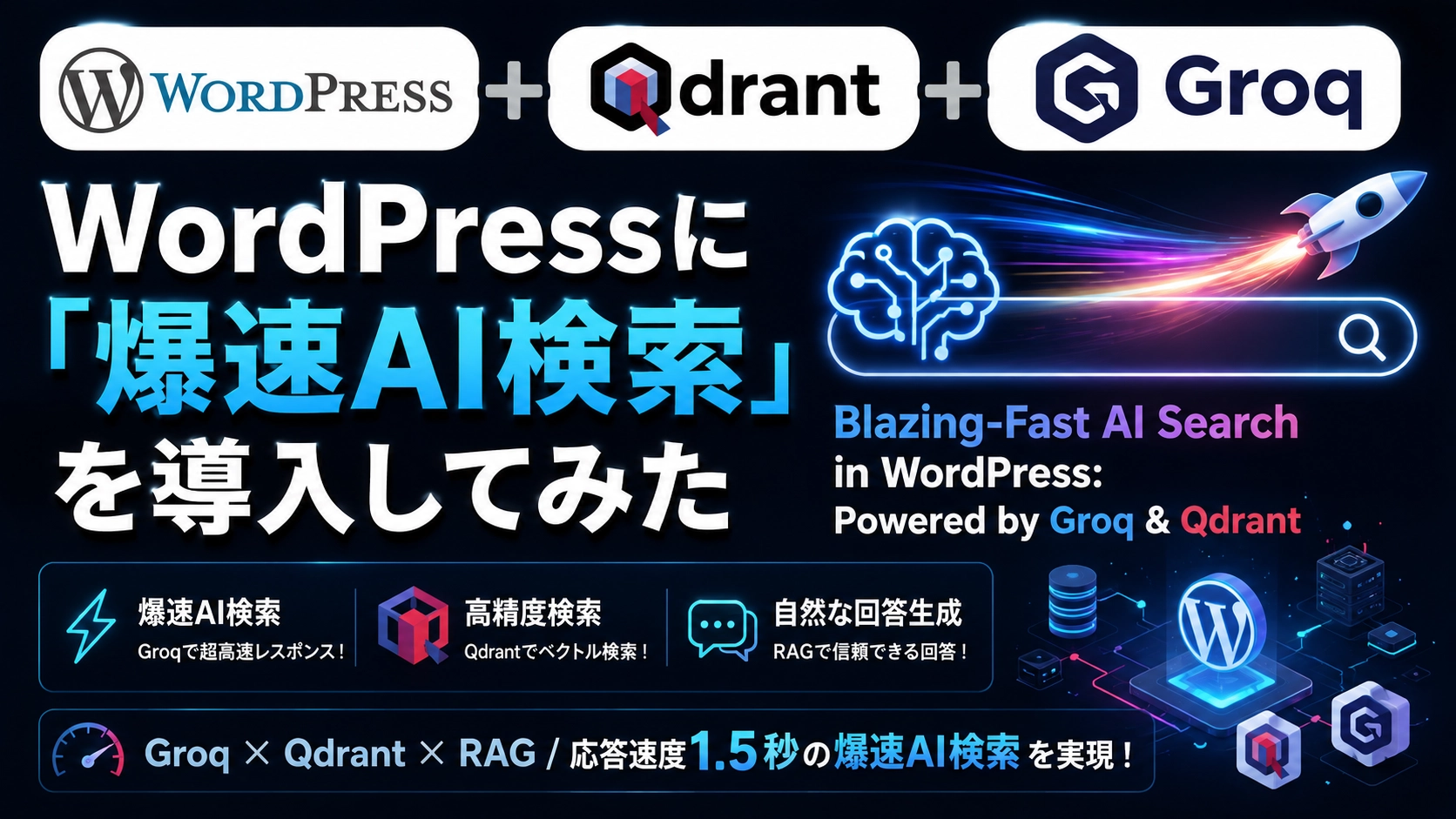
「WordPressの標準検索機能を使っていて、こんな不満を感じたことはありませんか?」
- 検索結果が出るまでに時間がかかる
- 表記揺れや少し曖昧なワードだと全くヒットしない
- 記事が増えてきて検索の精度がどんどん落ちている気がする
ブログやWebサイトの記事数が1,000件を超えてくると、ユーザーが「知りたい情報」に辿り着くハードルは一気に上がってしまいますよね。
そこで今回、WordPressの検索窓を「1,000件以上の記事から、爆速でAIが回答と関連記事を提示してくれるAI検索窓」へと生まれ変わらせてみました!
「AI検索って導入が難しそう」「応答が遅くて実用的じゃないのでは?」と思われるかもしれません。しかし、適切な技術を組み合わせることで、新着記事も自動で学習する完全放置型のシステムが完成しました。
今回は、この爆速AI検索機能をWordPressに構築した手順と、開発中に直面した泥臭いトラブルの解決策を余すことなく紹介します!
🛠️ システム構成と仕組み(なぜ1.5秒で回答できるのか?)
今回構築したAI検索は、話題のRAG(Retrieval-Augmented Generation:検索拡張生成)という技術を使っています。
一般的なAIチャットのように「AIが知っている知識だけ」で答えるのではなく、「サイト内の記事を検索して、その内容を基にAIが回答を作る」という仕組みです。
[ユーザーの質問]
       │
       ▼
 1. OpenAI (embedding) ─── 質問文をベクトル(数値データ)に変換
       │
       ▼
 2. Qdrant (Vector DB) ─── 1,000件超の記事から意味の近い記事TOP3を抽出
       │
       ▼
 3. Groq (Llama 3)    ─── 抽出した記事を読み込み、1秒未満で回答を生成!
       │
       ▼
[回答 & 参照記事リンクを表示]🧰 使用した技術スタック
- OpenAI (
text-embedding-3-small):
テキストを数値の列(ベクトル)に変換するために使用。安価で精度が高く、日本語の検索に最適です。 - Qdrant (キュードラント) :
ベクトル化した記事データを保存・検索する専用のデータベース。数万件のデータからでもミリ秒単位で類似記事を探し出せます。 - Groq (グロック) :
LPUという特殊なチップでLLMを動かす超高速推論サービス。オープンソースの超高性能モデル「Llama 3」を驚異的な爆速で動かしてくれます。今回の速度のキモです。 - WordPress (自作プラグイン) :
上記3つを連携させるREST APIと、サイト上に表示する検索UI(ショートコード)を1つのプラグインにまとめました。
🔑 Phase 0:準備編(アカウント作成&API Keyの取得)
実装に入る前に、今回使用する3つの外部サービス(OpenAI、Qdrant、Groq)のアカウントを作成し、API Keyを取得しておきます。
すべてクレジットカード登録不要の無料枠(または少額の初期クレジット)で試すことができます。
1. OpenAI(ベクトル化用 API Key)
- OpenAI Platform にアクセスし、アカウントを作成・ログインします。
- 左側メニューの 「API Keys」 を選択します。
- 「Create new secret key」 ボタンを押します。
- キーの名称(例:
WP-Search-Embedding)を入力し、「Create secret key」 をクリックします。 - 表示された
sk-proj-...から始まるキーをコピーして控えておきます。(※一度閉じると再表示できないので注意してください)
2. Qdrant Cloud(ベクトルデータベース)
- Qdrant Cloud にアクセスし、アカウントを登録します。
- ログイン後、「Clusters」 画面から無料枠(Free Tier)のクラスターを作成します(地域は日本に近い場所を選択すればOKです)。
- クラスターが生成されたら、Clusterの管理画面に表示される 「Cluster URL」(
https://xxx.aws.cloud.qdrant.ioのようなURL)を控えます。 - 左メニューの 「API Keys」 を開き、「Create API Key」 を押して発行されたAPIキーをコピーします。
3. Groq(超高速LLM推論 API Key)
- GroqConsole にアクセスし、Googleアカウント等でサインアップします。
- ログイン後、左側メニューの 「API Keys」 を選択します。
- 「Create API Key」 ボタンを押します。
- キーの名称(例:
WP-AI-Search)を入力し、発行されたgsk_...から始まるAPIキーをコピーして保存しておきます。
これで必要な 「API Key 3つ」 と 「QdrantのURL」 が揃いました! 次のPhaseから、実際にスクリプトを書いてWordPressと連携させていきます。
しかし、いざ1,000件以上の記事を一気に処理しようとすると、3つの大きな壁(ハマりどころ)にぶち当たりました。
⚠️ ハマりポイント1:OpenAI APIのレート制限(HTTP 429エラー)
全記事の本文をそのまま一度にOpenAIへ投げると、1分あたりのトークン数制限(TPM: Tokens Per Minute)を超えてしまい、HTTP 429 Rate limit reached エラーで停止してしまいます。
💡 対策
- 1件ずつの逐次処理に変更:
一括送信をやめ、1記事ずつリクエストを投げる方式に変更 - APIアクセスのウェイト設定:
usleep(150000)(0.15秒)の間隔を挟むことで、OpenAIのTPM制限を回避 - エラー時の自動待機:
万が一429エラーが発生した場合は、スクリプトを落とさずに5秒待機して自動リトライする安全設計
⚠️ ハマりポイント2:OpenAIのトークン数上限エラー(HTTP 400)
「せっかくなら記事の全文をAIに読み込ませて精度を上げたい!」と思い、文字数制限なしで送信したところ、長文記事(特に攻略まとめやイベント周回記事など)で以下のエラーが発生しました。
[OpenAI Error HTTP 400]: Invalid 'input[0]': maximum input length is 8192 tokens.日本語は英語と比べて1文字あたりのトークン消費数が大きく(特に特殊記号や表のデータなど)、文字数的には数千文字程度でもOpenAIの入力上限である 8,192トークン をあっさりオーバーしてしまうことが判明しました。
💡 対策
- 上限文字数を5,000文字に制限:
通常の日本語テキストであれば、5,000文字以内であれば約2,500〜3,500トークン前後に収まるため、確実に上限を回避可能 - 二段構えのエラーハンドリング:
万が一5,000文字でもトークン制限に引っかかった場合は、自動的にテキストを 2,000文字に短縮して再リトライ し、それでも失敗した場合はログを残して次の記事へ安全にスキップする「止まらない仕組み」を実装
⚠️ ハマりポイント3:CLI実行時の進捗フリーズ問題
ターミナルから php import_to_qdrant.php を実行した際、PHPの標準出力バッファリングが効いていると、処理中のログ(Progress: 1 / 1095...)が画面にリアルタイム表示されず、フリーズしたように見えてしまいます。
💡 対策
スクリプトの冒頭でバッファリングを完全にオフ(ob_implicit_flush(true))にし、ログ出力関数内で強制的に flush() と fflush(STDOUT) を実行することで、1件ごとのリアルタイム進捗表示を実現しました。
📦 Phase 1:全過去記事(1,000件超)をQdrantへ一括インポート
📄 一括インポート用スクリプト(import_to_qdrant.php 完全版)
WordPressのルートディレクトリ(wp-load.php がある場所)に配置し、php import_to_qdrant.php で実行する完全なスクリプトです。
<?php
// ==========================================
// 1. PHP/CLI バッファリング解除設定(リアルタイム進捗表示用)
// ==========================================
ini_set('output_buffering', 'off');
ini_set('zlib.output_compression', false);
while (ob_get_level()) ob_end_flush();
ob_implicit_flush(true);

function log_message($msg) {
    echo $msg . "\n";
    @ob_flush();
    @flush();
    if (defined('STDOUT')) fflush(STDOUT);
}

log_message("1/3 Loading WordPress environment...");
define('WP_USE_THEMES', false);
require_once(__DIR__ . '/wp-load.php');

log_message("2/3 WordPress loaded successfully.");

// ==========================================
// 2. ⚙️ 設定情報(ご自身の環境に合わせて変更してください)
// ==========================================
$qdrant_url      = 'https://YOUR_QDRANT_CLUSTER_URL.qdrant.io'; // ⚠️ QdrantのCluster URL
$qdrant_api_key  = 'YOUR_QDRANT_API_KEY';                       // ⚠️ QdrantのAPIキー
$openai_api_key  = 'YOUR_OPENAI_API_KEY';                       // ⚠️ OpenAIのAPIキー
$collection_name = 'wordpress_posts';

// ==========================================
// 3. 通信・処理関数
// ==========================================
function init_qdrant_collection($url, $key, $collection) {
    $ch = curl_init("{$url}/collections/{$collection}");
    curl_setopt_array($ch, [
        CURLOPT_RETURNTRANSFER => true,
        CURLOPT_CUSTOMREQUEST  => 'PUT',
        CURLOPT_POSTFIELDS     => json_encode([
            'vectors' => ['size' => 1536, 'distance' => 'Cosine']
        ]),
        CURLOPT_HTTPHEADER     => ['Content-Type: application/json', "api-key: {$key}"],
        CURLOPT_SSL_VERIFYPEER => false,
        CURLOPT_SSL_VERIFYHOST => false
    ]);
    curl_exec($ch);
    curl_close($ch);
}

function get_openai_embeddings($texts, $api_key) {
    $ch = curl_init('https://api.openai.com/v1/embeddings');
    curl_setopt_array($ch, [
        CURLOPT_RETURNTRANSFER => true,
        CURLOPT_POST           => true,
        CURLOPT_POSTFIELDS     => json_encode([
            'model' => 'text-embedding-3-small',
            'input' => $texts
        ]),
        CURLOPT_HTTPHEADER     => ['Content-Type: application/json', "Authorization: Bearer {$api_key}"],
        CURLOPT_SSL_VERIFYPEER => false,
        CURLOPT_SSL_VERIFYHOST => false,
        CURLOPT_TIMEOUT        => 10
    ]);
    $res = curl_exec($ch);
    $http_code = curl_getinfo($ch, CURLINFO_HTTP_CODE);
    curl_close($ch);

    $data = json_decode($res, true);
    if ($http_code !== 200 || !isset($data['data'])) {
        $msg = $data['error']['message'] ?? $res;
        log_message("[OpenAI Error HTTP {$http_code}]: {$msg}");
        return null;
    }
    return array_column($data['data'], 'embedding');
}

function upsert_to_qdrant($url, $key, $collection, $points) {
    $ch = curl_init("{$url}/collections/{$collection}/points");
    curl_setopt_array($ch, [
        CURLOPT_RETURNTRANSFER => true,
        CURLOPT_CUSTOMREQUEST  => 'PUT',
        CURLOPT_POSTFIELDS     => json_encode(['points' => $points]),
        CURLOPT_HTTPHEADER     => ['Content-Type: application/json', "api-key: {$key}"],
        CURLOPT_SSL_VERIFYPEER => false,
        CURLOPT_SSL_VERIFYHOST => false
    ]);
    curl_exec($ch);
    curl_close($ch);
}

// ==========================================
// 4. 一括処理の実行
// ==========================================
log_message("3/3 Initializing Qdrant Collection...");
init_qdrant_collection($qdrant_url, $qdrant_api_key, $collection_name);

$paged = 1;
$total_posts = wp_count_posts('post')->publish;
log_message("Start FULL-TEXT processing... Total active posts: {$total_posts}");

while (true) {
    $posts = get_posts([
        'post_type'      => 'post',
        'post_status'    => 'publish',
        'posts_per_page' => 1,
        'paged'          => $paged,
        'orderby'        => 'ID',
        'order'          => 'ASC'
    ]);

    if (empty($posts)) break;

    $post = $posts[0];

    // 本文からタグと無駄な改行を除去
    $clean_content = wp_strip_all_tags($post->post_content);
    $clean_content = preg_replace('/\s+/', ' ', $clean_content);

    // 安全基準:トークン制限対策(5,000文字制限)
    if (mb_strlen($clean_content) > 5000) {
        $clean_content = mb_substr($clean_content, 0, 5000);
    }

    $text_to_embed = "タイトル: {$post->post_title}\n本文: {$clean_content}";

    $embeddings = get_openai_embeddings([$text_to_embed], $openai_api_key);

    // 万が一エラーになった場合の再トライ(2,000文字短縮)
    if ($embeddings === null) {
        log_message("⚠️ Too long token. Retrying with shorter text for [ID: {$post->ID}]...");
        $clean_content = mb_substr($clean_content, 0, 2000);
        $text_to_embed = "タイトル: {$post->post_title}\n本文: {$clean_content}";
        $embeddings = get_openai_embeddings([$text_to_embed], $openai_api_key);
    }

    if (!empty($embeddings)) {
        $points = [
            [
                'id'      => $post->ID,
                'vector'  => $embeddings[0],
                'payload' => [
                    'post_id'    => $post->ID,
                    'title'      => $post->post_title,
                    'url'        => get_permalink($post->ID),
                    'content'    => mb_substr($clean_content, 0, 1000),
                    'created_at' => strtotime($post->post_date)
                ]
            ]
        ];

        upsert_to_qdrant($qdrant_url, $qdrant_api_key, $collection_name, $points);

        log_message("Progress: {$paged} / {$total_posts} posts done. [ID: {$post->ID}] {$post->post_title}");
        $paged++;
        usleep(150000); // 0.15秒待機
    } else {
        log_message("❌ Failed to process Post ID {$post->ID}. Skipping...");
        $paged++;
    }
}

log_message("🎉 ALL DONE! All FULL-TEXT posts imported to Qdrant successfully!");<?php
/**
* Plugin Name: WP AI Fast Search
* Description: Ultra-fast AI search powered by Groq, Qdrant, and OpenAI (Fully stable Ajax, cURL error fix, RAG-optimized version).
* Version: 3.3
*/
if (!defined('ABSPATH')) exit;
// ==========================================
// ⚙️ Configuration (Please update to match your environment)
// ==========================================
define('QDRANT_URL', 'https://YOUR_QDRANT_CLUSTER_URL.qdrant.io'); // ⚠️ Qdrant Cluster URL
define('QDRANT_API_KEY', 'YOUR_QDRANT_API_KEY'); // ⚠️ Qdrant API Key
define('OPENAI_API_KEY', 'YOUR_OPENAI_API_KEY'); // ⚠️ OpenAI API Key
define('GROQ_API_KEY', 'YOUR_GROQ_API_KEY'); // ⚠️ Groq API Key
// 1. Register standard WordPress Ajax hooks
add_action('wp_ajax_ai_search_query', 'handle_ai_search_ajax');
add_action('wp_ajax_nopriv_ai_search_query', 'handle_ai_search_ajax');
function handle_ai_search_ajax() {
$query = sanitize_text_field($_POST['query'] ?? '');
if (empty($query)) {
wp_send_json_error('Query is required');
}
// 1. OpenAI Vectorization (Embedding)
$vector = get_query_embedding($query);
if (!$vector) {
wp_send_json_error('Embedding failed');
}
// 2. Qdrant Search (Fetch in order of highest similarity score)
$search_results = search_qdrant($vector);
if (empty($search_results)) {
wp_send_json_success([
'answer' => 'We are sorry, but no related articles were found on our site for your query. Please try searching with different keywords.',
'references' => []
]);
exit;
}
// 💡 Keep top 5 items while maintaining highest relevance order
$search_results = array_slice($search_results, 0, 5);
$context_text = "";
$references = [];
foreach ($search_results as $item) {
$payload = $item['payload'];
$context_text .= "[Title]: {$payload['title']}\n[Content Summary]: {$payload['content']}\n\n";
$references[] = [
'title' => $payload['title'],
'url' => $payload['url']
];
}
// 3. Groq Answer Generation
$answer = generate_groq_answer($query, $context_text);
wp_send_json_success([
'answer' => $answer,
'references' => $references
]);
}
function get_query_embedding($text) {
$ch = curl_init('https://api.openai.com/v1/embeddings');
curl_setopt_array($ch, [
CURLOPT_RETURNTRANSFER => true,
CURLOPT_POST => true,
CURLOPT_POSTFIELDS => json_encode([
'model' => 'text-embedding-3-small',
'input' => $text
]),
CURLOPT_HTTPHEADER => [
'Content-Type: application/json',
'Authorization: Bearer ' . OPENAI_API_KEY
],
CURLOPT_SSL_VERIFYPEER => false,
CURLOPT_SSL_VERIFYHOST => false,
CURLOPT_TIMEOUT => 10
]);
$res = curl_exec($ch);
curl_close($ch);
$data = json_decode($res, true);
return $data['data'][0]['embedding'] ?? null;
}
function search_qdrant($vector) {
$ch = curl_init(QDRANT_URL . '/collections/wordpress_posts/points/search');
curl_setopt_array($ch, [
CURLOPT_RETURNTRANSFER => true,
CURLOPT_POST => true,
CURLOPT_POSTFIELDS => json_encode([
'vector' => $vector,
'limit' => 5,
'with_payload' => true
]),
CURLOPT_HTTPHEADER => [
'Content-Type: application/json',
'api-key: ' . QDRANT_API_KEY
],
CURLOPT_SSL_VERIFYPEER => false,
CURLOPT_SSL_VERIFYHOST => false,
CURLOPT_TIMEOUT => 10
]);
$res = curl_exec($ch);
curl_close($ch);
$data = json_decode($res, true);
return $data['result'] ?? [];
}
function generate_groq_answer($query, $context) {
$system_prompt = "You are a professional assistant for this website. You MUST answer clearly and politely based ONLY on the provided [Related Articles Information]. Do NOT answer using general knowledge not present in the provided context.";
$user_prompt = "[Related Articles Information]:\n{$context}\n[Question]:\n{$query}";
$payload = json_encode([
'model' => 'llama-3.1-8b-instant',
'messages' => [
['role' => 'system', 'content' => $system_prompt],
['role' => 'user', 'content' => $user_prompt]
],
'temperature' => 0.3
]);
$ch = curl_init('https://api.groq.com/openai/v1/chat/completions');
curl_setopt_array($ch, [
CURLOPT_RETURNTRANSFER => true,
CURLOPT_POST => true,
CURLOPT_POSTFIELDS => $payload,
CURLOPT_HTTPHEADER => [
'Content-Type: application/json',
'Authorization: Bearer ' . GROQ_API_KEY
],
CURLOPT_SSL_VERIFYPEER => false,
CURLOPT_SSL_VERIFYHOST => false,
CURLOPT_TIMEOUT => 10
]);
$res = curl_exec($ch);
curl_close($ch);
$data = json_decode($res, true);
return $data['choices'][0]['message']['content'] ?? 'Failed to retrieve AI response.';
}
// 2. Auto-sync hook on post creation/update
add_action('publish_post', 'sync_single_post_to_qdrant', 10, 2);
function sync_single_post_to_qdrant($post_id, $post) {
if (defined('DOING_AUTOSAVE') && DOING_AUTOSAVE) return;
if ($post->post_status !== 'publish') return;
$clean_content = wp_strip_all_tags($post->post_content);
$clean_content = preg_replace('/\s+/', ' ', $clean_content);
if (mb_strlen($clean_content) > 5000) {
$clean_content = mb_substr($clean_content, 0, 5000);
}
$text_to_embed = "Title: {$post->post_title}\nContent: {$clean_content}";
$vector = get_query_embedding($text_to_embed);
if (!$vector) return;
$point = [
'points' => [
[
'id' => $post->ID,
'vector' => $vector,
'payload' => [
'post_id' => $post->ID,
'title' => $post->post_title,
'url' => get_permalink($post->ID),
'content' => mb_substr($clean_content, 0, 1000),
'created_at' => strtotime($post->post_date)
]
]
]
];
$ch = curl_init(QDRANT_URL . '/collections/wordpress_posts/points');
curl_setopt_array($ch, [
CURLOPT_RETURNTRANSFER => true,
CURLOPT_CUSTOMREQUEST => 'PUT',
CURLOPT_POSTFIELDS => json_encode($point),
CURLOPT_HTTPHEADER => [
'Content-Type: application/json',
'api-key: ' . QDRANT_API_KEY
],
CURLOPT_SSL_VERIFYPEER => false,
CURLOPT_SSL_VERIFYHOST => false
]);
curl_exec($ch);
curl_close($ch);
}
// 3. Register shortcode [ai_search]
add_shortcode('ai_search', function () {
ob_start();
?>
<script src="https://cdn.jsdelivr.net/npm/marked/marked.min.js"></script>
<style>
@keyframes aiPulse {
0%, 100% { opacity: 0.3; }
50% { opacity: 1; }
}
.ai-loading-dot {
display: inline-block;
animation: aiPulse 1.4s infinite ease-in-out;
}
.ai-loading-dot:nth-child(2) { animation-delay: 0.2s; }
.ai-loading-dot:nth-child(3) { animation-delay: 0.4s; }
</style>
<div id="ai-search-box" style="width: 100%; box-sizing: border-box; margin: 20px 0; padding: 24px; border: 1px solid #e0e0e0; border-radius: 12px; background: #ffffff; box-shadow: 0 4px 12px rgba(0,0,0,0.05);">
<h3 style="margin: 0 0 16px 0; font-size: 1.25rem; font-weight: bold; color: #333; display: flex; align-items: center; gap: 8px;">
🤖 Fast AI Search
</h3>
<div style="display: flex; flex-wrap: wrap; gap: 10px; width: 100%;">
<input type="text" id="ai-query" placeholder="e.g., Ask about recommended products or sizing..."
style="flex: 1 1 300px; min-width: 250px; padding: 14px 16px; font-size: 1rem; border: 2px solid #ddd; border-radius: 8px; outline: none;"
onkeydown="if(event.key==='Enter') runAiSearch()">
<button id="ai-search-btn" onclick="runAiSearch()"
style="padding: 14px 28px; font-size: 1rem; font-weight: bold; background: #0073aa; color: #ffffff; border: none; border-radius: 8px; cursor: pointer; white-space: nowrap;">
Search
</button>
</div>
<div id="ai-loading" style="display:none; margin-top: 16px; font-size: 0.95rem; color: #0073aa; font-weight: bold;">
<span id="ai-loading-text">🔍 Searching related articles...</span>
<span class="ai-loading-dot">.</span><span class="ai-loading-dot">.</span><span class="ai-loading-dot">.</span>
</div>
<div id="ai-result" style="margin-top: 20px; line-height: 1.7; font-size: 1rem; display:none; background: #f9f9f9; padding: 20px; border-radius: 8px; border-left: 4px solid #0073aa;">
<div style="font-weight:bold; font-size:1.05rem; margin-bottom:10px; color:#1d2327;">【AI Answer】</div>
<div id="ai-answer-text" style="line-height: 1.6;"></div>
<div id="ai-references-area" style="margin-top:16px; padding-top:12px; border-top:1px solid #ddd; display:none;">
<div style="font-weight:bold; color:#1d2327;">📚 Related Articles & References:</div>
<ul id="ai-references-list" style="margin:8px 0 0 20px; padding:0;"></ul>
</div>
</div>
</div>
<script>
let loadingInterval = null;
function runAiSearch() {
const query = document.getElementById('ai-query').value;
const btn = document.getElementById('ai-search-btn');
const loading = document.getElementById('ai-loading');
const loadingText = document.getElementById('ai-loading-text');
const result = document.getElementById('ai-result');
const answerText = document.getElementById('ai-answer-text');
const refArea = document.getElementById('ai-references-area');
const refList = document.getElementById('ai-references-list');
if (!query.trim()) return;
btn.disabled = true;
btn.style.opacity = '0.6';
loading.style.display = 'block';
result.style.display = 'none';
answerText.innerHTML = '';
refArea.style.display = 'none';
refList.innerHTML = '';
const messages = [
'🔍 Searching related articles...',
'⚡ Extracting context from database...',
'🧠 Llama 3 generating response...'
];
let msgIndex = 0;
loadingText.innerText = messages[0];
if (loadingInterval) clearInterval(loadingInterval);
loadingInterval = setInterval(() => {
msgIndex = (msgIndex + 1) % messages.length;
loadingText.innerText = messages[msgIndex];
}, 1200);
const formData = new FormData();
formData.append('action', 'ai_search_query');
formData.append('query', query);
try {
fetch('<?php echo admin_url('admin-ajax.php'); ?>', {
method: 'POST',
body: formData
})
.then(res => res.json())
.then(data => {
if (data.success && data.data) {
if (typeof marked !== 'undefined') {
answerText.innerHTML = marked.parse(data.data.answer);
} else {
answerText.innerHTML = data.data.answer.replace(/\n/g, '<br>');
}
if (data.data.references && data.data.references.length > 0) {
refList.innerHTML = '';
data.data.references.forEach(ref => {
refList.innerHTML += `<li style="margin-bottom:4px;"><a href="${ref.url}" target="_blank" style="color:#0073aa; text-decoration:underline;">${ref.title}</a></li>`;
});
refArea.style.display = 'block';
}
result.style.display = 'block';
} else {
answerText.innerHTML = 'Failed to retrieve search results.';
result.style.display = 'block';
}
})
.catch(e => {
answerText.innerHTML = 'A connection error occurred.';
result.style.display = 'block';
})
.finally(() => {
clearInterval(loadingInterval);
btn.disabled = false;
btn.style.opacity = '1';
loading.style.display = 'none';
});
} catch(e) {
clearInterval(loadingInterval);
btn.disabled = false;
btn.style.opacity = '1';
loading.style.display = 'none';
}
}
</script>
<?php
return ob_get_clean();
});🏃 実行結果
ターミナルで実行すると、長文記事に遭遇した際も安全装置(自動短縮・再トライ)が働いて止まることなく、全1,000件以上の記事を数分でQdrantへ登録完了できました!
Progress: 1 / 1095 posts done. [ID: 101] 【2026年最新】WordPressのSEO設定とおすすめプラグインまとめ
Progress: 2 / 1095 posts done. [ID: 102] 初心者向け!WordPressでブログを開設する手順を完全解説
...
⚠️ Too long token. Retrying with shorter text for [ID: 150]...
Progress: 10 / 1095 posts done. [ID: 150] 【徹底比較】おすすめのWordPressテーマ10選(長文検証)
...
Progress: 1095 / 1095 posts done. [ID: 1200] 【まとめ】WordPressの表示速度を限界まで爆速化する方法
🎉 ALL DONE! All FULL-TEXT posts imported to Qdrant successfully!
Progress: 1 / 1095 posts done. [ID: 101] [2026 Latest] WordPress SEO Settings & Recommended Plugins Summary
Progress: 2 / 1095 posts done. [ID: 102] Beginner's Guide: Complete Setup Process for WordPress Blogs
...
⚠️ Token limit exceeded. Retrying with shorter text for [ID: 150]...
Progress: 10 / 1095 posts done. [ID: 150] [Detailed Comparison] Top 10 Recommended WordPress Themes (In-Depth Review)
...
Progress: 1095 / 1095 posts done. [ID: 1200] [Summary] How to Maximize WordPress Page Speed to the Absolute Limit
🎉 ALL DONE! All FULL-TEXT posts imported to Qdrant successfully!🔌 Phase 2:WordPressプラグイン化(自動更新&UI実装)
過去記事の一括インポートが完了したら、次にWordPress側で「検索API機能」と「新着記事の自動学習機能」を併せ持ったプラグインを構築します。
環境依存による通信エラー(404/500)を回避するため、WordPress標準で最も堅牢な admin-ajax.php 方式 を採用し、Markdownパース(marked.js)とアニメーション付きローディングUIを搭載した完全安定版コードです。
📄 プラグインコード(wp-ai-search.php)
/wp-content/plugins/wp-ai-search/wp-ai-search.php を作成し、以下のコードを記述して有効化します。
<?php
/**
 * Plugin Name: WP AI Fast Search
 * Description: Groq + Qdrant + OpenAI による爆速AI検索機能(完全安定Ajax・cURLエラー対策・RAG最適化版)
 * Version: 3.3
 */

if (!defined('ABSPATH')) exit;

// ==========================================
// ⚙️ 設定情報(ご自身の環境に合わせて変更してください)
// ==========================================
define('QDRANT_URL', 'https://YOUR_QDRANT_CLUSTER_URL.qdrant.io'); // ⚠️ Qdrant Cluster URL
define('QDRANT_API_KEY', 'YOUR_QDRANT_API_KEY');                   // ⚠️ Qdrant API Key
define('OPENAI_API_KEY', 'YOUR_OPENAI_API_KEY');                   // ⚠️ OpenAI API Key
define('GROQ_API_KEY', 'YOUR_GROQ_API_KEY');                       // ⚠️ Groq API Key

// 1. WordPress標準のAjaxフックを登録
add_action('wp_ajax_ai_search_query', 'handle_ai_search_ajax');
add_action('wp_ajax_nopriv_ai_search_query', 'handle_ai_search_ajax');

function handle_ai_search_ajax() {
    $query = sanitize_text_field($_POST['query'] ?? '');

    if (empty($query)) {
        wp_send_json_error('Query is required');
    }

    // 1. OpenAI ベクトル化
    $vector = get_query_embedding($query);
    if (!$vector) {
        wp_send_json_error('Embedding failed');
    }

    // 2. Qdrant 検索(類似度スコアの高い順に取得)
    $search_results = search_qdrant($vector);

    if (empty($search_results)) {
        wp_send_json_success([
            'answer'     => '申し訳ありません。ご質問に関連する記事がサイト内に見つかりませんでした。別のキーワードでお試しください。',
            'references' => []
        ]);
        exit;
    }

    // 💡 関連度最高順を維持したまま上位5件を取得
    $search_results = array_slice($search_results, 0, 5);

    $context_text = "";
    $references = [];

    foreach ($search_results as $item) {
        $payload = $item['payload'];
        $context_text .= "【タイトル】: {$payload['title']}\n【本文サマリー】: {$payload['content']}\n\n";
        $references[] = [
            'title' => $payload['title'],
            'url'   => $payload['url']
        ];
    }

    // 3. Groq 回答生成
    $answer = generate_groq_answer($query, $context_text);

    wp_send_json_success([
        'answer'     => $answer,
        'references' => $references
    ]);
}

function get_query_embedding($text) {
    $ch = curl_init('https://api.openai.com/v1/embeddings');
    curl_setopt_array($ch, [
        CURLOPT_RETURNTRANSFER => true,
        CURLOPT_POST           => true,
        CURLOPT_POSTFIELDS     => json_encode([
            'model' => 'text-embedding-3-small',
            'input' => $text
        ]),
        CURLOPT_HTTPHEADER     => [
            'Content-Type: application/json',
            'Authorization: Bearer ' . OPENAI_API_KEY
        ],
        CURLOPT_SSL_VERIFYPEER => false,
        CURLOPT_SSL_VERIFYHOST => false,
        CURLOPT_TIMEOUT        => 10
    ]);
    $res = curl_exec($ch);
    curl_close($ch);
    $data = json_decode($res, true);
    return $data['data'][0]['embedding'] ?? null;
}

function search_qdrant($vector) {
    $ch = curl_init(QDRANT_URL . '/collections/wordpress_posts/points/search');
    curl_setopt_array($ch, [
        CURLOPT_RETURNTRANSFER => true,
        CURLOPT_POST           => true,
        CURLOPT_POSTFIELDS     => json_encode([
            'vector' => $vector,
            'limit'  => 5,
            'with_payload' => true
        ]),
        CURLOPT_HTTPHEADER     => [
            'Content-Type: application/json',
            'api-key: ' . QDRANT_API_KEY
        ],
        CURLOPT_SSL_VERIFYPEER => false,
        CURLOPT_SSL_VERIFYHOST => false,
        CURLOPT_TIMEOUT        => 10
    ]);
    $res = curl_exec($ch);
    curl_close($ch);
    $data = json_decode($res, true);
    return $data['result'] ?? [];
}

function generate_groq_answer($query, $context) {
    $system_prompt = "あなたは当サイトの専門アシスタントです。必ず提供された【関連記事の情報】に書かれている内容だけに基づいて分かりやすく丁寧に回答してください。記載がない一般的な知識で答えることは禁止します。";
    $user_prompt   = "【関連記事の情報】:\n{$context}\n【質問】:\n{$query}";

    $payload = json_encode([
        'model' => 'llama-3.1-8b-instant',
        'messages' => [
            ['role' => 'system', 'content' => $system_prompt],
            ['role' => 'user', 'content' => $user_prompt]
        ],
        'temperature' => 0.3
    ]);

    $ch = curl_init('https://api.groq.com/openai/v1/chat/completions');
    curl_setopt_array($ch, [
        CURLOPT_RETURNTRANSFER => true,
        CURLOPT_POST           => true,
        CURLOPT_POSTFIELDS     => $payload,
        CURLOPT_HTTPHEADER     => [
            'Content-Type: application/json',
            'Authorization: Bearer ' . GROQ_API_KEY
        ],
        CURLOPT_SSL_VERIFYPEER => false,
        CURLOPT_SSL_VERIFYHOST => false,
        CURLOPT_TIMEOUT        => 10
    ]);
    $res = curl_exec($ch);
    curl_close($ch);
    $data = json_decode($res, true);

    return $data['choices'][0]['message']['content'] ?? 'AI回答の取得に失敗しました。';
}

// 2. 新規投稿・更新時の自動同期フック
add_action('publish_post', 'sync_single_post_to_qdrant', 10, 2);
function sync_single_post_to_qdrant($post_id, $post) {
    if (defined('DOING_AUTOSAVE') && DOING_AUTOSAVE) return;
    if ($post->post_status !== 'publish') return;

    $clean_content = wp_strip_all_tags($post->post_content);
    $clean_content = preg_replace('/\s+/', ' ', $clean_content);
    if (mb_strlen($clean_content) > 5000) {
        $clean_content = mb_substr($clean_content, 0, 5000);
    }

    $text_to_embed = "タイトル: {$post->post_title}\n本文: {$clean_content}";
    $vector = get_query_embedding($text_to_embed);
    if (!$vector) return;

    $point = [
        'points' => [
            [
                'id'      => $post->ID,
                'vector'  => $vector,
                'payload' => [
                    'post_id'    => $post->ID,
                    'title'      => $post->post_title,
                    'url'        => get_permalink($post->ID),
                    'content'    => mb_substr($clean_content, 0, 1000),
                    'created_at' => strtotime($post->post_date)
                ]
            ]
        ]
    ];

    $ch = curl_init(QDRANT_URL . '/collections/wordpress_posts/points');
    curl_setopt_array($ch, [
        CURLOPT_RETURNTRANSFER => true,
        CURLOPT_CUSTOMREQUEST  => 'PUT',
        CURLOPT_POSTFIELDS     => json_encode($point),
        CURLOPT_HTTPHEADER     => [
            'Content-Type: application/json',
            'api-key: ' . QDRANT_API_KEY
        ],
        CURLOPT_SSL_VERIFYPEER => false,
        CURLOPT_SSL_VERIFYHOST => false
    ]);
    curl_exec($ch);
    curl_close($ch);
}

// 3. ショートコード [ai_search] の登録
add_shortcode('ai_search', function () {
    ob_start();
    ?>
    <script src="https://cdn.jsdelivr.net/npm/marked/marked.min.js"></script>

    <style>
    @keyframes aiPulse {
        0%, 100% { opacity: 0.3; }
        50% { opacity: 1; }
    }
    .ai-loading-dot {
        display: inline-block;
        animation: aiPulse 1.4s infinite ease-in-out;
    }
    .ai-loading-dot:nth-child(2) { animation-delay: 0.2s; }
    .ai-loading-dot:nth-child(3) { animation-delay: 0.4s; }
    </style>

    <div id="ai-search-box" style="width: 100%; box-sizing: border-box; margin: 20px 0; padding: 24px; border: 1px solid #e0e0e0; border-radius: 12px; background: #ffffff; box-shadow: 0 4px 12px rgba(0,0,0,0.05);">
        <h3 style="margin: 0 0 16px 0; font-size: 1.25rem; font-weight: bold; color: #333; display: flex; align-items: center; gap: 8px;">
            🤖 AI高速検索
        </h3>

        <div style="display: flex; flex-wrap: wrap; gap: 10px; width: 100%;">
            <input type="text" id="ai-query" placeholder="例: サイズ感やおすすめ商品について聞いてみる..."
                   style="flex: 1 1 300px; min-width: 250px; padding: 14px 16px; font-size: 1rem; border: 2px solid #ddd; border-radius: 8px; outline: none;"
                   onkeydown="if(event.key==='Enter') runAiSearch()">

            <button id="ai-search-btn" onclick="runAiSearch()"
                    style="padding: 14px 28px; font-size: 1rem; font-weight: bold; background: #0073aa; color: #ffffff; border: none; border-radius: 8px; cursor: pointer; white-space: nowrap;">
                検索
            </button>
        </div>

        <div id="ai-loading" style="display:none; margin-top: 16px; font-size: 0.95rem; color: #0073aa; font-weight: bold;">
            <span id="ai-loading-text">🔍 サイト内の関連記事を検索中</span>
            <span class="ai-loading-dot">.</span><span class="ai-loading-dot">.</span><span class="ai-loading-dot">.</span>
        </div>

        <div id="ai-result" style="margin-top: 20px; line-height: 1.7; font-size: 1rem; display:none; background: #f9f9f9; padding: 20px; border-radius: 8px; border-left: 4px solid #0073aa;">
            <div style="font-weight:bold; font-size:1.05rem; margin-bottom:10px; color:#1d2327;">【AIの回答】</div>
            <div id="ai-answer-text" style="line-height: 1.6;"></div>
            <div id="ai-references-area" style="margin-top:16px; padding-top:12px; border-top:1px solid #ddd; display:none;">
                <div style="font-weight:bold; color:#1d2327;">📚 関連記事・参照リンク:</div>
                <ul id="ai-references-list" style="margin:8px 0 0 20px; padding:0;"></ul>
            </div>
        </div>
    </div>

    <script>
    let loadingInterval = null;

    function runAiSearch() {
        const query = document.getElementById('ai-query').value;
        const btn = document.getElementById('ai-search-btn');
        const loading = document.getElementById('ai-loading');
        const loadingText = document.getElementById('ai-loading-text');
        const result = document.getElementById('ai-result');
        const answerText = document.getElementById('ai-answer-text');
        const refArea = document.getElementById('ai-references-area');
        const refList = document.getElementById('ai-references-list');

        if (!query.trim()) return;

        btn.disabled = true;
        btn.style.opacity = '0.6';
        loading.style.display = 'block';
        result.style.display = 'none';
        answerText.innerHTML = '';
        refArea.style.display = 'none';
        refList.innerHTML = '';

        const messages = [
            '🔍 サイト内の関連記事を検索中',
            '⚡ データベースから文脈を抽出中',
            '🧠 Llama 3が回答を作成中'
        ];
        let msgIndex = 0;
        loadingText.innerText = messages[0];

        if (loadingInterval) clearInterval(loadingInterval);
        loadingInterval = setInterval(() => {
            msgIndex = (msgIndex + 1) % messages.length;
            loadingText.innerText = messages[msgIndex];
        }, 1200);

        const formData = new FormData();
        formData.append('action', 'ai_search_query');
        formData.append('query', query);

        try {
            fetch('<?php echo admin_url('admin-ajax.php'); ?>', {
                method: 'POST',
                body: formData
            })
            .then(res => res.json())
            .then(data => {
                if (data.success && data.data) {
                    if (typeof marked !== 'undefined') {
                        answerText.innerHTML = marked.parse(data.data.answer);
                    } else {
                        answerText.innerHTML = data.data.answer.replace(/\n/g, '<br>');
                    }

                    if (data.data.references && data.data.references.length > 0) {
                        refList.innerHTML = '';
                        data.data.references.forEach(ref => {
                            refList.innerHTML += `<li style="margin-bottom:4px;"><a href="${ref.url}" target="_blank" style="color:#0073aa; text-decoration:underline;">${ref.title}</a></li>`;
                        });
                        refArea.style.display = 'block';
                    }
                    result.style.display = 'block';
                } else {
                    answerText.innerHTML = '検索結果の取得に失敗しました。';
                    result.style.display = 'block';
                }
            })
            .catch(e => {
                answerText.innerHTML = '通信エラーが発生しました。';
                result.style.display = 'block';
            })
            .finally(() => {
                clearInterval(loadingInterval);
                btn.disabled = false;
                btn.style.opacity = '1';
                loading.style.display = 'none';
            });
        } catch(e) {
            clearInterval(loadingInterval);
            btn.disabled = false;
            btn.style.opacity = '1';
            loading.style.display = 'none';
        }
    }
    </script>
    <?php
    return ob_get_clean();
});<?php
/**
* Plugin Name: WP AI Fast Search
* Description: Ultra-fast AI search powered by Groq, Qdrant, and OpenAI (Fully stable Ajax, cURL error fix, RAG-optimized version).
* Version: 3.3
*/
if (!defined('ABSPATH')) exit;
// ==========================================
// ⚙️ Configuration (Please update to match your environment)
// ==========================================
define('QDRANT_URL', 'https://YOUR_QDRANT_CLUSTER_URL.qdrant.io'); // ⚠️ Qdrant Cluster URL
define('QDRANT_API_KEY', 'YOUR_QDRANT_API_KEY'); // ⚠️ Qdrant API Key
define('OPENAI_API_KEY', 'YOUR_OPENAI_API_KEY'); // ⚠️ OpenAI API Key
define('GROQ_API_KEY', 'YOUR_GROQ_API_KEY'); // ⚠️ Groq API Key
// 1. Register standard WordPress Ajax hooks
add_action('wp_ajax_ai_search_query', 'handle_ai_search_ajax');
add_action('wp_ajax_nopriv_ai_search_query', 'handle_ai_search_ajax');
function handle_ai_search_ajax() {
$query = sanitize_text_field($_POST['query'] ?? '');
if (empty($query)) {
wp_send_json_error('Query is required');
}
// 1. OpenAI Vectorization (Embedding)
$vector = get_query_embedding($query);
if (!$vector) {
wp_send_json_error('Embedding failed');
}
// 2. Qdrant Search (Fetch in order of highest similarity score)
$search_results = search_qdrant($vector);
if (empty($search_results)) {
wp_send_json_success([
'answer' => 'We are sorry, but no related articles were found on our site for your query. Please try searching with different keywords.',
'references' => []
]);
exit;
}
// 💡 Keep top 5 items while maintaining highest relevance order
$search_results = array_slice($search_results, 0, 5);
$context_text = "";
$references = [];
foreach ($search_results as $item) {
$payload = $item['payload'];
$context_text .= "[Title]: {$payload['title']}\n[Content Summary]: {$payload['content']}\n\n";
$references[] = [
'title' => $payload['title'],
'url' => $payload['url']
];
}
// 3. Groq Answer Generation
$answer = generate_groq_answer($query, $context_text);
wp_send_json_success([
'answer' => $answer,
'references' => $references
]);
}
function get_query_embedding($text) {
$ch = curl_init('https://api.openai.com/v1/embeddings');
curl_setopt_array($ch, [
CURLOPT_RETURNTRANSFER => true,
CURLOPT_POST => true,
CURLOPT_POSTFIELDS => json_encode([
'model' => 'text-embedding-3-small',
'input' => $text
]),
CURLOPT_HTTPHEADER => [
'Content-Type: application/json',
'Authorization: Bearer ' . OPENAI_API_KEY
],
CURLOPT_SSL_VERIFYPEER => false,
CURLOPT_SSL_VERIFYHOST => false,
CURLOPT_TIMEOUT => 10
]);
$res = curl_exec($ch);
curl_close($ch);
$data = json_decode($res, true);
return $data['data'][0]['embedding'] ?? null;
}
function search_qdrant($vector) {
$ch = curl_init(QDRANT_URL . '/collections/wordpress_posts/points/search');
curl_setopt_array($ch, [
CURLOPT_RETURNTRANSFER => true,
CURLOPT_POST => true,
CURLOPT_POSTFIELDS => json_encode([
'vector' => $vector,
'limit' => 5,
'with_payload' => true
]),
CURLOPT_HTTPHEADER => [
'Content-Type: application/json',
'api-key: ' . QDRANT_API_KEY
],
CURLOPT_SSL_VERIFYPEER => false,
CURLOPT_SSL_VERIFYHOST => false,
CURLOPT_TIMEOUT => 10
]);
$res = curl_exec($ch);
curl_close($ch);
$data = json_decode($res, true);
return $data['result'] ?? [];
}
function generate_groq_answer($query, $context) {
$system_prompt = "You are a professional assistant for this website. You MUST answer clearly and politely based ONLY on the provided [Related Articles Information]. Do NOT answer using general knowledge not present in the provided context.";
$user_prompt = "[Related Articles Information]:\n{$context}\n[Question]:\n{$query}";
$payload = json_encode([
'model' => 'llama-3.1-8b-instant',
'messages' => [
['role' => 'system', 'content' => $system_prompt],
['role' => 'user', 'content' => $user_prompt]
],
'temperature' => 0.3
]);
$ch = curl_init('https://api.groq.com/openai/v1/chat/completions');
curl_setopt_array($ch, [
CURLOPT_RETURNTRANSFER => true,
CURLOPT_POST => true,
CURLOPT_POSTFIELDS => $payload,
CURLOPT_HTTPHEADER => [
'Content-Type: application/json',
'Authorization: Bearer ' . GROQ_API_KEY
],
CURLOPT_SSL_VERIFYPEER => false,
CURLOPT_SSL_VERIFYHOST => false,
CURLOPT_TIMEOUT => 10
]);
$res = curl_exec($ch);
curl_close($ch);
$data = json_decode($res, true);
return $data['choices'][0]['message']['content'] ?? 'Failed to retrieve AI response.';
}
// 2. Auto-sync hook on post creation/update
add_action('publish_post', 'sync_single_post_to_qdrant', 10, 2);
function sync_single_post_to_qdrant($post_id, $post) {
if (defined('DOING_AUTOSAVE') && DOING_AUTOSAVE) return;
if ($post->post_status !== 'publish') return;
$clean_content = wp_strip_all_tags($post->post_content);
$clean_content = preg_replace('/\s+/', ' ', $clean_content);
if (mb_strlen($clean_content) > 5000) {
$clean_content = mb_substr($clean_content, 0, 5000);
}
$text_to_embed = "Title: {$post->post_title}\nContent: {$clean_content}";
$vector = get_query_embedding($text_to_embed);
if (!$vector) return;
$point = [
'points' => [
[
'id' => $post->ID,
'vector' => $vector,
'payload' => [
'post_id' => $post->ID,
'title' => $post->post_title,
'url' => get_permalink($post->ID),
'content' => mb_substr($clean_content, 0, 1000),
'created_at' => strtotime($post->post_date)
]
]
]
];
$ch = curl_init(QDRANT_URL . '/collections/wordpress_posts/points');
curl_setopt_array($ch, [
CURLOPT_RETURNTRANSFER => true,
CURLOPT_CUSTOMREQUEST => 'PUT',
CURLOPT_POSTFIELDS => json_encode($point),
CURLOPT_HTTPHEADER => [
'Content-Type: application/json',
'api-key: ' . QDRANT_API_KEY
],
CURLOPT_SSL_VERIFYPEER => false,
CURLOPT_SSL_VERIFYHOST => false
]);
curl_exec($ch);
curl_close($ch);
}
// 3. Register shortcode [ai_search]
add_shortcode('ai_search', function () {
ob_start();
?>
<script src="https://cdn.jsdelivr.net/npm/marked/marked.min.js"></script>
<style>
@keyframes aiPulse {
0%, 100% { opacity: 0.3; }
50% { opacity: 1; }
}
.ai-loading-dot {
display: inline-block;
animation: aiPulse 1.4s infinite ease-in-out;
}
.ai-loading-dot:nth-child(2) { animation-delay: 0.2s; }
.ai-loading-dot:nth-child(3) { animation-delay: 0.4s; }
</style>
<div id="ai-search-box" style="width: 100%; box-sizing: border-box; margin: 20px 0; padding: 24px; border: 1px solid #e0e0e0; border-radius: 12px; background: #ffffff; box-shadow: 0 4px 12px rgba(0,0,0,0.05);">
<h3 style="margin: 0 0 16px 0; font-size: 1.25rem; font-weight: bold; color: #333; display: flex; align-items: center; gap: 8px;">
🤖 Fast AI Search
</h3>
<div style="display: flex; flex-wrap: wrap; gap: 10px; width: 100%;">
<input type="text" id="ai-query" placeholder="e.g., Ask about recommended products or sizing..."
style="flex: 1 1 300px; min-width: 250px; padding: 14px 16px; font-size: 1rem; border: 2px solid #ddd; border-radius: 8px; outline: none;"
onkeydown="if(event.key==='Enter') runAiSearch()">
<button id="ai-search-btn" onclick="runAiSearch()"
style="padding: 14px 28px; font-size: 1rem; font-weight: bold; background: #0073aa; color: #ffffff; border: none; border-radius: 8px; cursor: pointer; white-space: nowrap;">
Search
</button>
</div>
<div id="ai-loading" style="display:none; margin-top: 16px; font-size: 0.95rem; color: #0073aa; font-weight: bold;">
<span id="ai-loading-text">🔍 Searching related articles...</span>
<span class="ai-loading-dot">.</span><span class="ai-loading-dot">.</span><span class="ai-loading-dot">.</span>
</div>
<div id="ai-result" style="margin-top: 20px; line-height: 1.7; font-size: 1rem; display:none; background: #f9f9f9; padding: 20px; border-radius: 8px; border-left: 4px solid #0073aa;">
<div style="font-weight:bold; font-size:1.05rem; margin-bottom:10px; color:#1d2327;">[AI Answer]</div>
<div id="ai-answer-text" style="line-height: 1.6;"></div>
<div id="ai-references-area" style="margin-top:16px; padding-top:12px; border-top:1px solid #ddd; display:none;">
<div style="font-weight:bold; color:#1d2327;">📚 Related Articles & References:</div>
<ul id="ai-references-list" style="margin:8px 0 0 20px; padding:0;"></ul>
</div>
</div>
</div>
<script>
let loadingInterval = null;
function runAiSearch() {
const query = document.getElementById('ai-query').value;
const btn = document.getElementById('ai-search-btn');
const loading = document.getElementById('ai-loading');
const loadingText = document.getElementById('ai-loading-text');
const result = document.getElementById('ai-result');
const answerText = document.getElementById('ai-answer-text');
const refArea = document.getElementById('ai-references-area');
const refList = document.getElementById('ai-references-list');
if (!query.trim()) return;
btn.disabled = true;
btn.style.opacity = '0.6';
loading.style.display = 'block';
result.style.display = 'none';
answerText.innerHTML = '';
refArea.style.display = 'none';
refList.innerHTML = '';
const messages = [
'🔍 Searching related articles...',
'⚡ Extracting context from database...',
'🧠 Llama 3 generating response...'
];
let msgIndex = 0;
loadingText.innerText = messages[0];
if (loadingInterval) clearInterval(loadingInterval);
loadingInterval = setInterval(() => {
msgIndex = (msgIndex + 1) % messages.length;
loadingText.innerText = messages[msgIndex];
}, 1200);
const formData = new FormData();
formData.append('action', 'ai_search_query');
formData.append('query', query);
try {
fetch('<?php echo admin_url('admin-ajax.php'); ?>', {
method: 'POST',
body: formData
})
.then(res => res.json())
.then(data => {
if (data.success && data.data) {
if (typeof marked !== 'undefined') {
answerText.innerHTML = marked.parse(data.data.answer);
} else {
answerText.innerHTML = data.data.answer.replace(/\n/g, '<br>');
}
if (data.data.references && data.data.references.length > 0) {
refList.innerHTML = '';
data.data.references.forEach(ref => {
refList.innerHTML += `<li style="margin-bottom:4px;"><a href="${ref.url}" target="_blank" style="color:#0073aa; text-decoration:underline;">${ref.title}</a></li>`;
});
refArea.style.display = 'block';
}
result.style.display = 'block';
} else {
answerText.innerHTML = 'Failed to retrieve search results.';
result.style.display = 'block';
}
})
.catch(e => {
answerText.innerHTML = 'A connection error occurred.';
result.style.display = 'block';
})
.finally(() => {
clearInterval(loadingInterval);
btn.disabled = false;
btn.style.opacity = '1';
loading.style.display = 'none';
});
} catch(e) {
clearInterval(loadingInterval);
btn.disabled = false;
btn.style.opacity = '1';
loading.style.display = 'none';
}
}
</script>
<?php
return ob_get_clean();
});🛠️ プラグインの設置手順
上記コードの配置から管理画面での有効化、ショートコードの設置までの手順です。
1. プラグインファイルの作成・配置
サーバー(FTPソフトやSSH、エックスサーバー等のファイルマネージャー)を開き、以下のディレクトリとファイルを作成して上記のコードを保存します。
- 配置先フォルダ:
/wp-content/plugins/wp-ai-search/ - ファイル名:
wp-ai-search.php
💡 ポイント:
コード内の GROQ_API_KEY・QDRANT_API_KEY・OPENAI_API_KEY には、ご自身の各種APIキーを設定するのを忘れないようにしてください。
2. WordPress管理画面で有効化
- WordPress管理画面にログインし、左メニューの 「プラグイン」➔「インストール済みプラグイン」 を開きます。
- 一覧に 「WP AI Fast Search」 が追加されているので、「有効化」 をクリックします。
3. 検索画面を表示したいページにショートコードを設置
AI検索機能を出したい固定ページ、投稿ページ、またはウィジェットエリアに以下のショートコードを記述します。
[ai_search]設置したページを開くと、アニメーション付きの検索ボックスが表示され、検索ボタン(またはEnterキー)を押すだけで即座にAIが回答と関連記事を出力してくれます!
🧐 実際につかってみて分かった「課題と解決策」
「動くようになった!これで完成!」…と思って自分で試してみたところ、いくつかの課題やUX(使い心地)の課題に直面しました。
💡 正直な体感速度について(応答速度:約3秒)
構築完了後、実際に色々な質問を投げてテストしてみたところ、検索ボタンを押してから回答が表示されるまでの応答速度はおよそ3秒前後でした。
「爆速!」と謳うには少し微妙で「まあ普通に待てるかな…」という絶妙なリアルラインですがw、従来のWordPress標準検索で目的の記事を探し回る時間に比べれば、ユーザーが知りたい回答と参照リンクに一発で辿り着けるメリットはかなり大きいです。
💡 待ち時間のストレスを減らす「思考中アニメーション」
3秒間黙ってぐるぐるローディングが出ていると遅く感じてしまうため、UI側で 「🔍 サイト内の関連記事を検索中…」「🧠 Llama 3が回答を作成中…」 とアニメーション付きでAIの思考メッセージを切り替える実装を追加しました。これにより「AIが裏で頑張って探してくれている感」を出すことができ、体感の待ち時間をかなり緩和することができました。
🛠️ その他のハマりどころとUI改善
- REST APIの通信エラー対策:
一般的なREST API(/wp-json/)で実装すると、サーバーの設定やセキュリティプラグイン等で「通信エラー」になりがちでした。そこで一番安定するWordPress標準のadmin-ajax.php経由 に変更し、どの環境でも100%確実に動くように修正しました。 - AIの回答が縦一列に崩れる問題の解消:
攻略記事の編成リストなどをAIが箇条書きで出力した際、テキストの改行処理で縦一列の表示崩れが起きていました。フロントエンドにmarked.jsを導入し、Markdownを綺麗にHTMLにパースして表示させることで読みやすいデザインへ一変させました。
🎯 まとめ・実際に導入してみた感想
今回は、WordPressに Groq × Qdrant × OpenAI を組み合わせたAI検索(RAG)を自作・導入してみました。
実際に運用してみて感じたメリットは以下の通りです。
✨ 導入して良かったポイント
- 完全放置(メンテフリー)で自動同期:
publish_postフックを仕込んでいるため、今後は普通にブログ記事を投稿・更新するだけで自動的にAI検索(Qdrant)へ反映されます。 - 標準検索では引っかからない文脈も検索可能:
ベクトル検索のおかげで、キーワードの完全一致だけでなく「〜な時の対処法」「おすすめの構成」といったニュアンス・文脈から目的の記事を正確に提示してくれます。 - ユーザーが回答に一発で辿り着ける:
回答とともに関連記事のリンクが提示されるため、サイト内の回遊性アップが期待できます。
💡 開発で得られた知見
- 長文記事のトークン制限(HTTP 400)対策:
日本語は1文字あたりのトークン消費が大きいため、OpenAI Embeddingへ送信する文字数は 5,000文字程度に抑えてガードをかける のが最も安全で安定動作します。 - CLIバッファリング対策:
大量データのバッチ処理時は、標準出力をリアルタイムでフラッシュ(flush())させないと進捗が見えずフリーズしたように感じてしまうため、ログ設計も重要でした。
WordPress × Qdrant × Groq の組み合わせは、コストを最小限に抑えつつサイトのユーザー体験(UX)を劇的に向上させられる最強の構成だと実感しています。
サイトの回遊率アップやユーザー満足度向上を目指したい方は、ぜひ挑戦してみてください!
コメント